26 Jun
This release is a focused update to the Contractor Evaluation Questionnaire, introducing autosave, notes, improved document handling in review mode, accreditor access, and a clearer history of communications against each record.
Change Impact Legend
 Partner Suites
 Management Suites
What’s New
CEQ Enhancements
Autosave: CEQ forms now save automatically as users fill them in, preventing data loss mid-session.
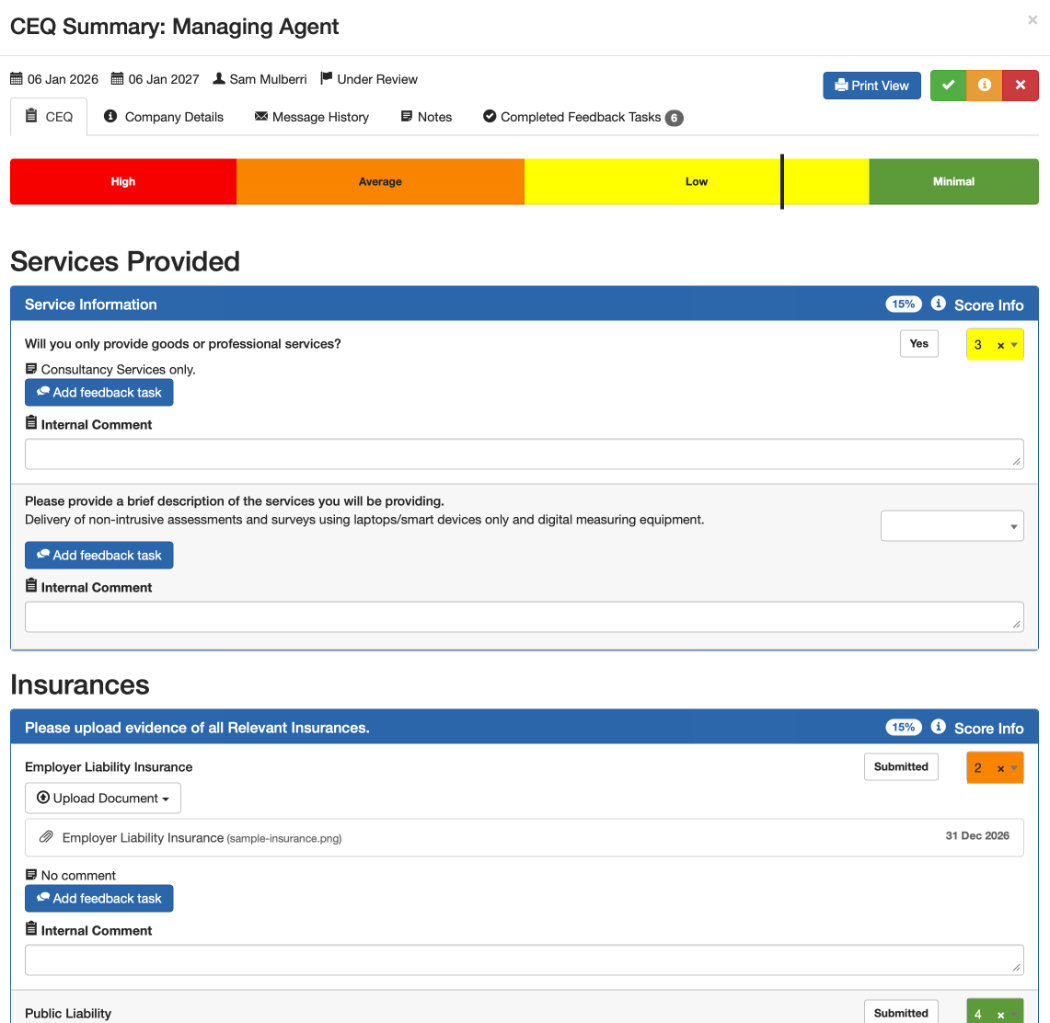
Notes and audit trail: Users can add notes directly to a CEQ record. Status changes are also logged against these notes, giving a clear history of activity on the record.
Document management in review mode: Reviewers can now upload and update documents without leaving review mode. Additional detail such as document dates has been added to make it easier to verify information at a glance.
Additional email recipients: When sending CEQ escalation emails or information requests, you can now include additional recipients beyond the default contact.
Request history on the record: Escalation emails and information requests are now linked directly to the CEQ record, so there’s a full, visible history of what was sent and when.
Clearer request instructions: The “Request for Information” email now includes guidance instructing recipients to mark the request as complete once it has been resolved.
Accreditor access: Accreditors can now view and access the CEQs that have been specifically assigned to them.
Accreditor email customisation: Approval and decline emails sent from an accreditor are now worded to reflect that context, rather than using the standard system wording.